
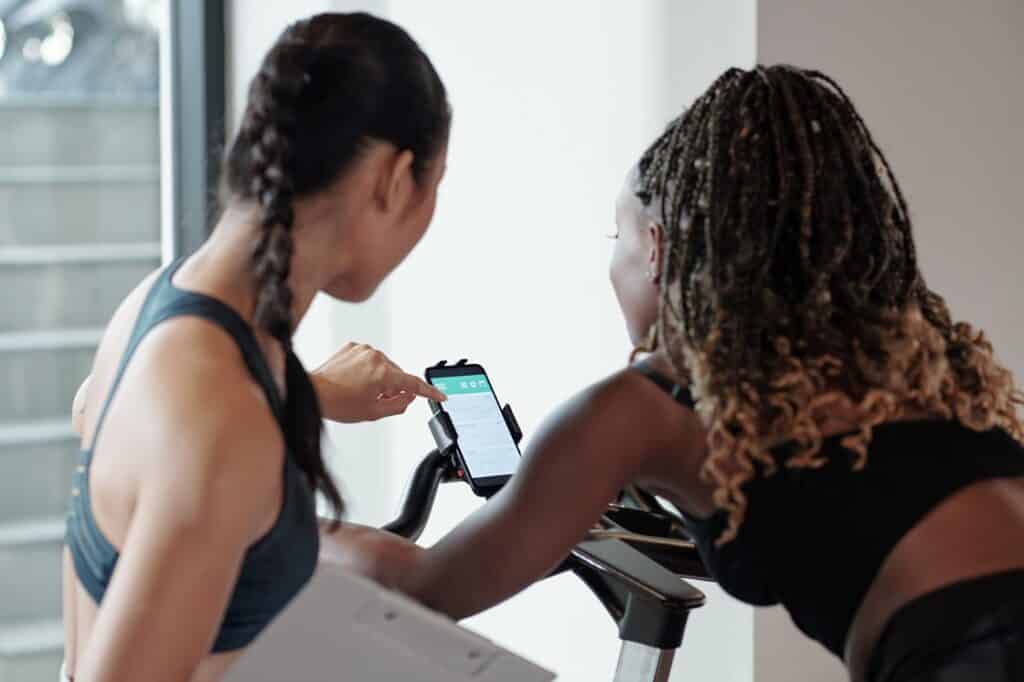







Workout Routines and Integrating Walking Pad Treadmills
A walking pad treadmill is a terrific method for folks who sit at a desk all day to be active. These little treadmills fit beneath your desk and help you move more, remain focused, get your heart rate up, and burn additional calories—all while you work.
Here are some easy steps to help you integrate a walking pad into your everyday life, such as how to set up your office and organize your exercises.
1. How to Prepare Your Work Area for a Walking Pad Treadmill
Compatibility with desks:
If you use a walking pad, be sure there is adequate area under your standing desk for it. If you need to, move the desk up or down so that you can read or type comfortably while walking.
Getting ready for comfort:
Place your keyboard and mouse at elbow level and your screen at eye level. Good posture stops your shoulders, neck, and back from being too tense.
How to keep safe:
Make sure the space surrounding your walking pad is clear.
2. Walking Routines For Beginners
Before you begin:
To warm up your muscles, begin by walking gently for five minutes (1.0–1.5 mph).
Easy walking sessions:
For 15 to 20 minutes, walk at a pace that feels pleasant (1.5 to 2.0 mph). Keep your body calm and your breathing steady.
How often:
Start with one or two brief exercises per day and gradually increase the length of the sessions as you become stronger.
Take a break:
After each practice, take a gentle walk for 2 to 3 minutes, then gently stretch your hamstrings, calves, and lower back.
3. Intermediate Walking Workouts
Interval training:
For 30 minutes of exercise, walk fast (2.5 to 3.0 mph) for 2 minutes, then gently (1.5 mph) for 2 minutes.
Incline choice:
To make your exercise tougher and train more muscles, use the inclination setting on your treadmill for 1 to 2 minutes at a time.
How to accomplish more than one thing at once:
You may check your email or listen to podcasts as you walk. When you’re not moving, do tasks that take your whole focus, like typing or attending to meetings.
4. Advanced Walking Workouts
Steady, moderate speed:
Walk at a steady speed of 3 mph for 45 to 60 minutes. Take small intervals to sip water if you need to in order to remain awake.
Power walking:
To make the exercise tougher and burn more calories, add arm swings and concentrate on your core muscles.
Adding work:
Walking may inspire new ideas, creative work, and phone calls. These are fantastic distractions without reducing productivity.
5. Doing Additional Workouts Along with Walking On The Pad
Stretching breaks:
To maintain the fluidity of your muscles, you should take a break every hour for three to five minutes to stretch or do desk yoga.
Training for strength:
Maintaining a high heart rate and increasing your strength may be accomplished by using resistance bands or light dumbbells during quick rests.
Exercises for balance and excellent posture:
By engaging in activities that strengthen your core and assist you in standing up straight, you may prevent yourself from getting weary as a result of long walks.
6. How to Use Apps And Technology
The WalkingPad A1 Pro app:
You are able to monitor your steps, distance traveled, pace, and the number of calories you burn. To assist you in remaining on track, you should establish daily goals and reminders.
Fitness apps:
You may get a thorough picture of what you do on a daily basis by connecting the data from your walking pad to programs such as Apple Health or Google Fit with the help of these applications.
Focus on apps:
By using timers such as Pomodoro, you may alternate between periods of time during which you work diligently and periods during which you take breaks and walk about.
7. Keeping your motivation and focus
Make sure your aims are possible:
Set a basic target of 5,000 steps a day and then incrementally boost it as you gain stronger.
Watch how you’re doing:
A fitness tracker or smartwatch may help you keep track of how many steps you take and how active you are. You will stay motivated if you keep track of how far you’ve come.
Plan ahead:
Make time to walk every day so that it becomes a habit.
Keep in touch:
To stay on track and stay motivated, join online exercise clubs or step challenges with friends or colleagues.
8. Overcoming Typical Challenges
Being tired:
If you’re exhausted, take a break, ease down, or end your practice early.
Things that get in the way:
Wear noise-canceling headphones or establish limitations to cut down on distractions as you walk.
Posture problems:
Check the layout of your workstation periodically and do some simple core-strengthening exercises to assist you preserve excellent posture and prevent difficulties that may happen from walking for a long time.
Not a lot of space:
Pick a folding walking pad like the WalkingPad A1 Pro if you don’t have a lot of space. You can quickly store it away when you’re not using it.
Walk slowly and take deep breaths.
Working on a walking pad treadmill at work may improve your health, attention, and productivity. A easy way to get more exercise without stopping.
9. Sample Daily Walking Pad Routine for Office Workers
| Time | Activity | Details |
|---|---|---|
| 9:00–9:05 AM | Warm-up | Slow walk to prepare your muscles |
| 9:05–9:25 AM | Moderate walking | 2.0 mph while checking emails |
| 10:30–10:35 AM | Stretch break | Calf and hamstring stretches |
| 11:00–11:20 AM | Interval walking | Alternate 2 min brisk (2.8 mph), 2 min slow (1.5 mph) |
| 12:00–12:30 PM | Lunch + light walking | Walk casually during calls or breaks |
| 2:00–2:30 PM | Continuous brisk walk | 3.0 mph for a cardio boost |
| 4:00–4:05 PM | Cool down | Slow walk and deep breathing |
Begin with brief, simple exercises and then progress to more challenging ones as your fitness level improves. It is important to drink a lot of water, maintain a straight back, and take breaks at regular intervals. You will feel better, have more energy, and be healthier if you continue to do what you are doing, and you will still be able to do your work.
- Are Under-Desk Treadmills Worth It Today?
- Appendix and Additional Resources Under-Desk Treadmills
- What Is a Walking Pad Treadmill Under Desk?
- Benefits of Using Walking Pad
- Walking Treadmill for Standing Desk
- WalkingPad A1 Pro Foldable Under Desk Treadmill
- How to Use Walking Pad Treadmills Under Desk Effectively
- User Testimonials and Case Studies
- Ultimate Buyer Guide to Walking Pad Treadmills Under Desk
- Engineering & Mechanics of Under-Desk Walking Pad Treadmill
















