
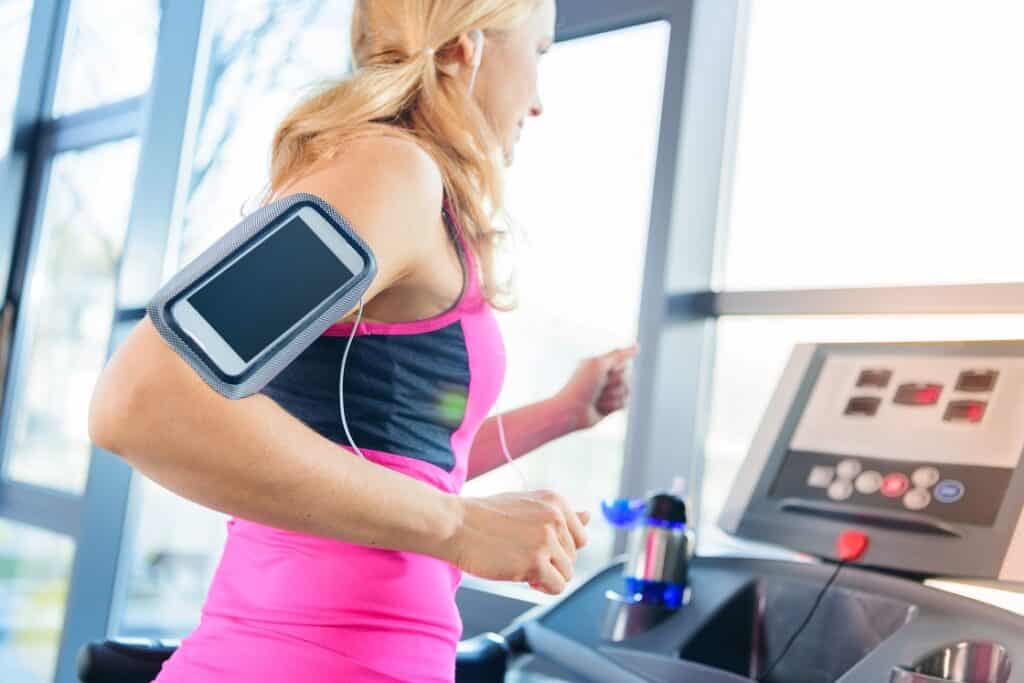







Will the Apple Health App Track Treadmills?
In this day and age, exercise equipment has emerged as an essential component of the lives of a great number of individuals. Apple Health is an application that is designed to provide users with assistance in monitoring their health and fitness levels. As a result of its ability to readily integrate data from a wide variety of devices and applications, it is a popular choice for monitoring physical activities such as walking, jogging, and cycling.
Apple Health is able to provide accurate data on your treadmill activity since it monitors your use and incorporates additional tools or settings accordingly. In this article, we will discuss the features of the Apple Health app, in addition to how it monitors treadmills and how to make the most of the monitoring capabilities of the software.
1. How Does the Apple Health App Track Treadmills?
Data about health is gathered by the Apple Health app from a variety of sources, including Apple devices, third-party applications, and workout equipment. The users are able to monitor and manage a full picture of their health indicators from a single point using this functionality. When it comes to workouts, the iOS application gets its information from
- Considering that it is equipped with powerful motion sensors and heart rate monitoring, the Apple Watch is the primary device that is used for the purpose of recording exercises performed on a treadmill.
- If you do not have an Apple Watch, you may still measure distance and steps using the motion sensors that are integrated into the iPhone.
- Applications for fitness that are provided by other parties Apple Health has the capability to link with fitness programs like as MyFitnessPal, Nike Run Club, and Strava in order to bring about the provision of full statistics on treadmill exercises.
2. Can the Apple Health App Track Treadmills?
It is true that the manner in which you approach the Apple Health app will impact the degree of precision with which it records your treadmill workouts:
A. Using an Apple Watch
This is how the steps are executed:
- Sensors That Have Been Calibrated The watch’s sensors are used to detect distance and monitor movement patterns.
- Heart Rate Monitor: The watch is able to offer information on the amount of calories expended and the intensity of your activity by measuring your heart rate while you are exercising.
- Apple Health categorizes the activity as either “Walking” or “Indoor Run” depending on the workouts that are logged on the Apple Watch. This classification is determined by the exercise mode.
In order to ensure that the data are correct, calibration is necessary. Through the process of learning your gait and step length, the Apple Watch is able to more accurately monitor your exercises. You can teach your Apple Watch how you move and how many steps you take by going for a walk or jogging outdoors while your GPS is switched on. This will allow the Apple Watch to understand how you move and how many steps you take.
B. Using an iPhone
For those who do not own an Apple Watch, it is still possible for your iPhone to monitor your steps. With each movement of your phone, its sensors make an effort to ascertain the distance that you have moved it. However, due to the fact that it is not linked to a computer and does not possess the same tuning capabilities as the Apple Watch, its accuracy is inferior to that of the Apple Watch.
C. Manual Input
Through the usage of the Apple Health app, you are able to manually record your running workouts if you are looking for exact monitoring but do not own an Apple Watch or do not like to make use of sensors. You will be able to type in after your session has concluded.
- In distance
- Period of time
- If shown on the screen of the treadmill, the number of calories burnt
- The Type of Activity
3. Optimizing Treadmill Tracking with Apple Health
In order to get the most out of the Apple Health app for monitoring progress on the treadmill, take into consideration the following useful advice:
A. Calibrate Your Apple Watch
- In order to educate your Apple Watch how to move, you need spend at least twenty minutes outdoors either sprinting or strolling around the park.
- It is important to do the calibration on a regular basis, especially after making significant improvements in fitness or making adjustments to the way you typically run or walk.
B. Pair Compatible Equipment
The incorporation of Bluetooth or Near Field Communication (NFC) into some pieces of exercise equipment and machines enables direct connections and synchronization between Apple devices. A number of firms, including NordicTrack and Peloton, provide treadmills that are compatible with Apple Health fitness tracking software.
C. Use Third-Party Apps
Utilizing applications such as Gym Kit, Zwift, or Treadmill Tracker may make the experience of recording statistics on your treadmill more enjoyable. The majority of the time, these applications create an immediate connection with Apple Health, which allows them to provide a greater number of features and more precise metrics.
D. Log Manually When Necessary
It’s possible that collecting your data by hand will make your results a lot more accurate, especially if your bike workout includes breaks, changes to the slope, or other unusual activities.
E. Regularly Update Your Devices
In order to improve the precision of its software, Apple is always attempting to improve it. In the event that new features are introduced, it is imperative that you ensure that the Apple Watch, iPhone, and Apple Health app are all updated instantly.
4. Benefits of Tracking Treadmill Workouts with Apple Health
The Apple Health app has many benefits for keeping track of walking workouts. Here are a few of them:
- The app combines information from many different health measures and habits to give you a full picture of your fitness progress. For example, it looks at your pulse rate, the number of steps you take, and the calories you burn while you’re active.
- The app’s Activity Rings and custom data help users stay motivated to meet their daily goals for standing, exercise, and moving around.
- Apple Health combines data from many devices and apps in a way that is easy for users to understand so that users can have a complete and useful experience. This is always true, no matter what you’re tracking, like your steps, calories, or pulse rate.
- People can customize their screens so that they only show the health information that is most important to their exercise goals.
When it comes to keeping track of runs, the Apple Health app provides a number of different choices, including the ability to monitor steps, heart rate, and calories burned. The motion sensors that are built into the iPhone and Apple Watch may be used for tracking purposes, and users are able to interact with the application.
In order to improve the accuracy of the treadmill tracking, you will need to calibrate your Apple Watch in the proper manner by adjusting its settings and making use of the tools that are required. A number of limitations are associated with the application, including the inability to connect directly to a treadmill and variations in stride lengths.
You will be able to exceed your fitness goals with the help of the Apple Health app, regardless of whether you are exercising on a treadmill or engaging in other types of workouts. Utilizing the app, you will have access to a comprehensive way for monitoring and improving your overall level of fitness. In order to get the most out of the application, you should be sure to use all of its functions.
- Does Health App Track Steps on Treadmill?
- Does Health App Track Treadmill Steps?
- Does Apple Health Count Steps on Treadmill?
- Does iPhone Track Steps on Treadmill?
- Does Health App Count Steps on Treadmill?
- Does Apple Health Track Steps on a Treadmill?
- Does iPhone Count Steps on Treadmill?
- Can Apple Health Track Steps on Treadmill?
- Does iPhone Health App Track Steps on Treadmill?
- Can iPhone Track Steps on Treadmill?
- Does Fitness App Track Treadmill?
- Does the Health App Track Steps on a Treadmill?
















